# Withdraw cryptocurrency into your wallet

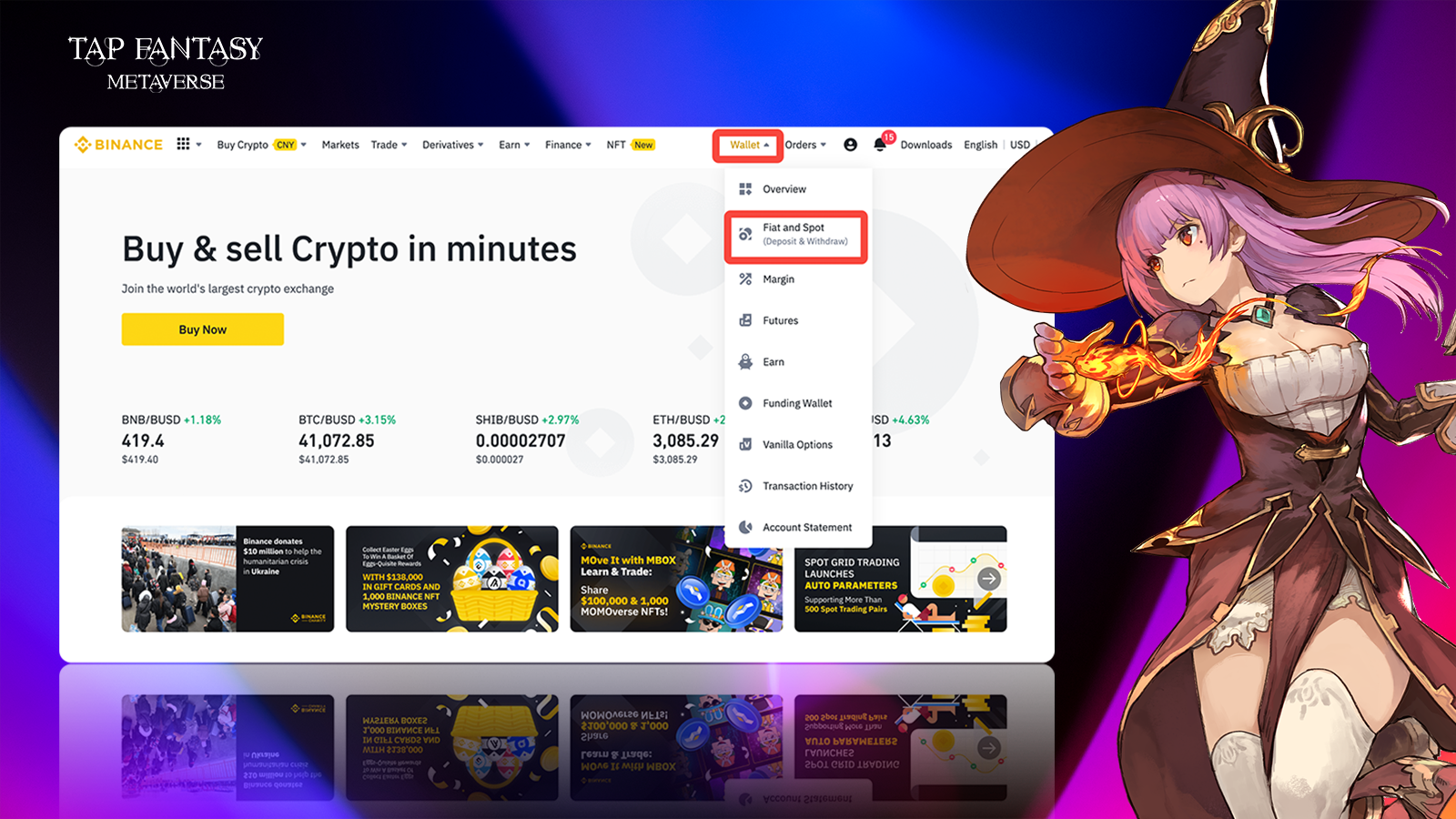
#### 1.Click wallet and select stock

<figure><img src="https://1774970921-files.gitbook.io/~/files/v0/b/gitbook-x-prod.appspot.com/o/spaces%2FNwWGuJ5vz6zi3zHZaqpx%2Fuploads%2FjvFmKjtGatIL5zSPDZFg%2Fimage.png?alt=media&#x26;token=75834024-d9b4-494b-bc75-64e9dd88eed2" alt=""><figcaption></figcaption></figure>

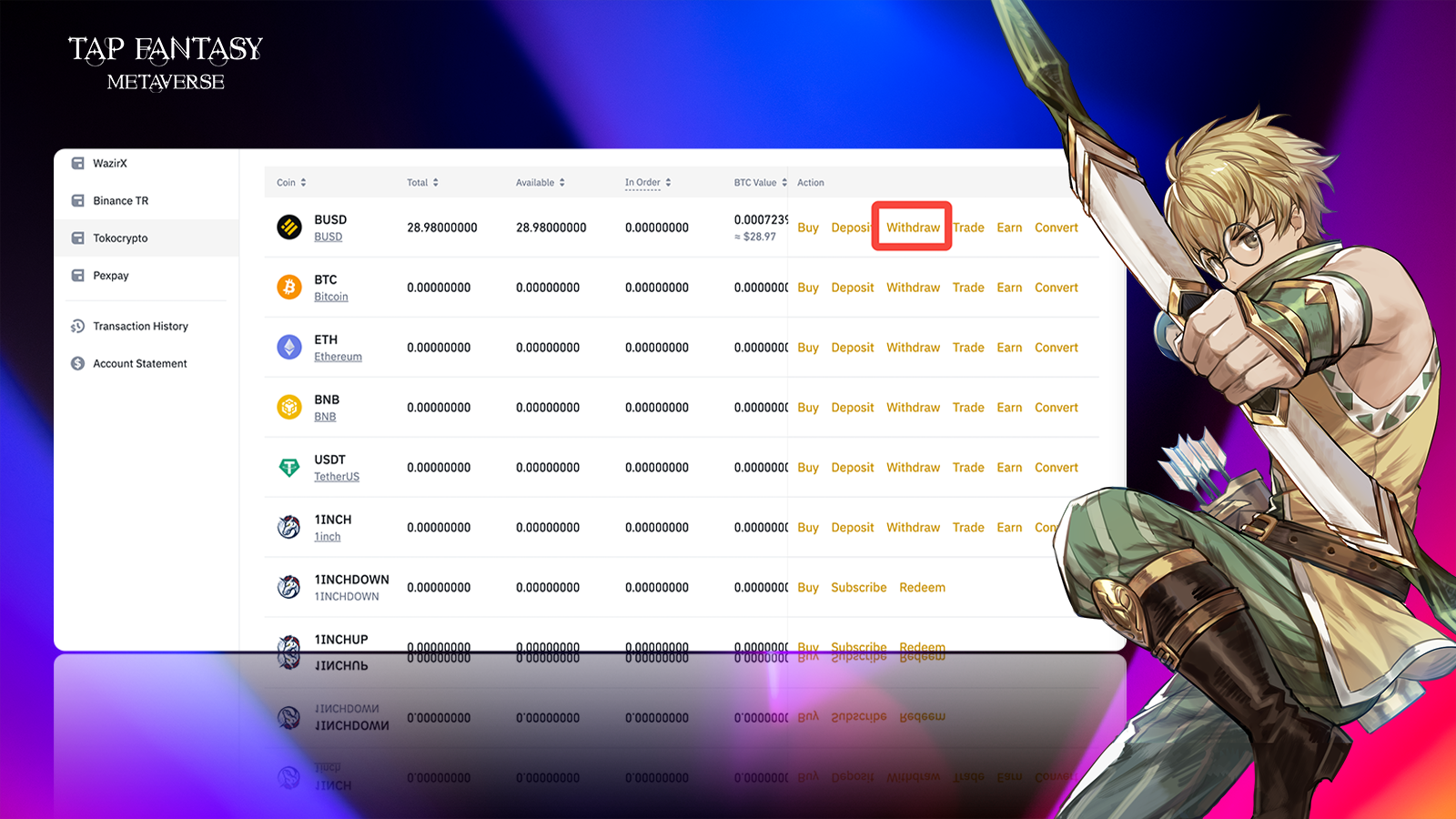
#### 2.Select "withdraw"

<figure><img src="https://1774970921-files.gitbook.io/~/files/v0/b/gitbook-x-prod.appspot.com/o/spaces%2FNwWGuJ5vz6zi3zHZaqpx%2Fuploads%2FJ4JgSjZdQLMN7TyGkTWR%2Fimage.png?alt=media&#x26;token=9cff7ec3-4bd0-4eb7-9d13-91a09cdb248f" alt=""><figcaption></figcaption></figure>

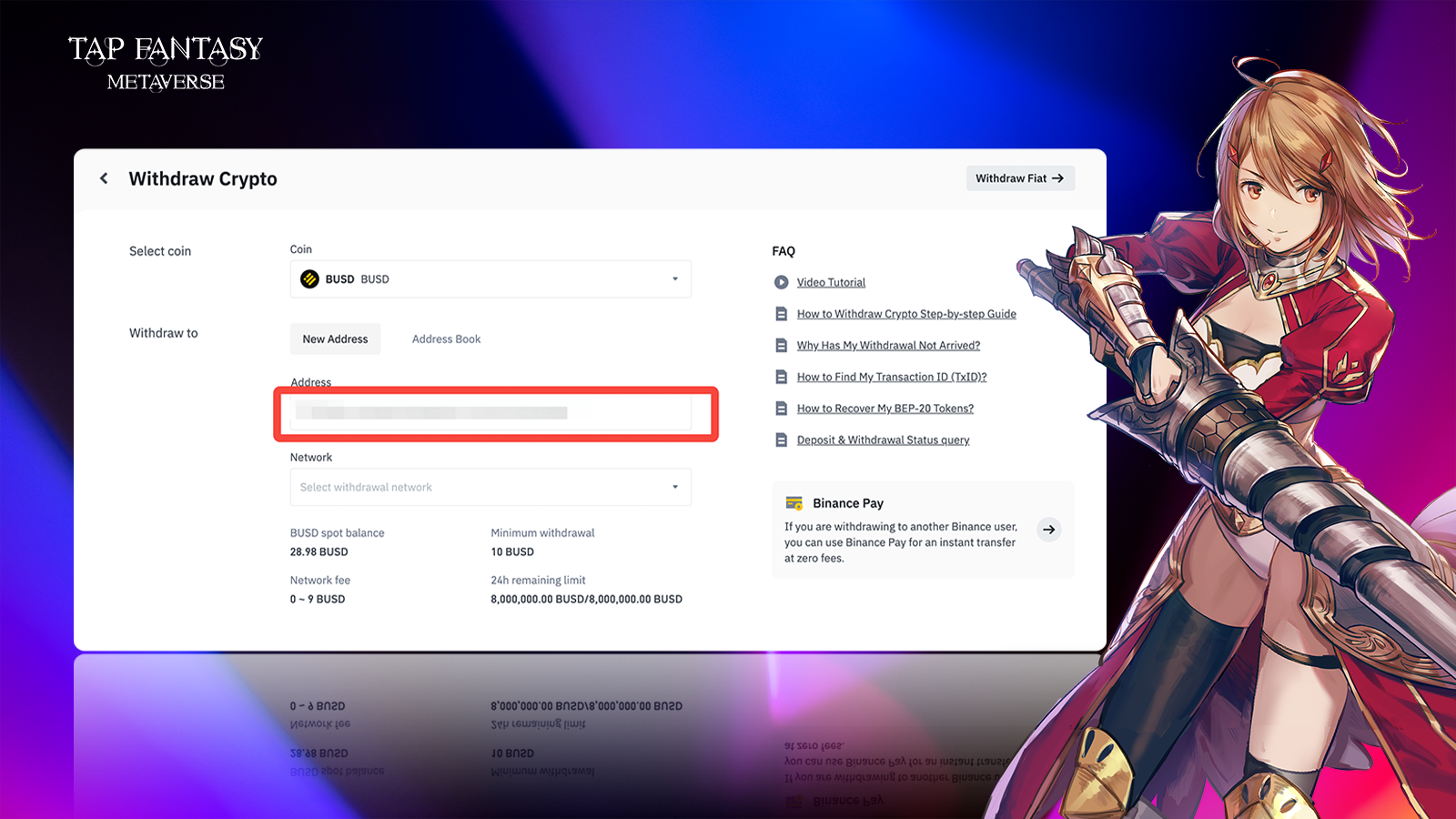
#### 3.Enter your metamask (or other) wallet address

<figure><img src="https://1774970921-files.gitbook.io/~/files/v0/b/gitbook-x-prod.appspot.com/o/spaces%2FNwWGuJ5vz6zi3zHZaqpx%2Fuploads%2FbYAUivWTGs8b41vPJNLR%2Fimage.png?alt=media&#x26;token=66eda666-076d-4d69-9307-b8186aaa7afe" alt=""><figcaption></figcaption></figure>

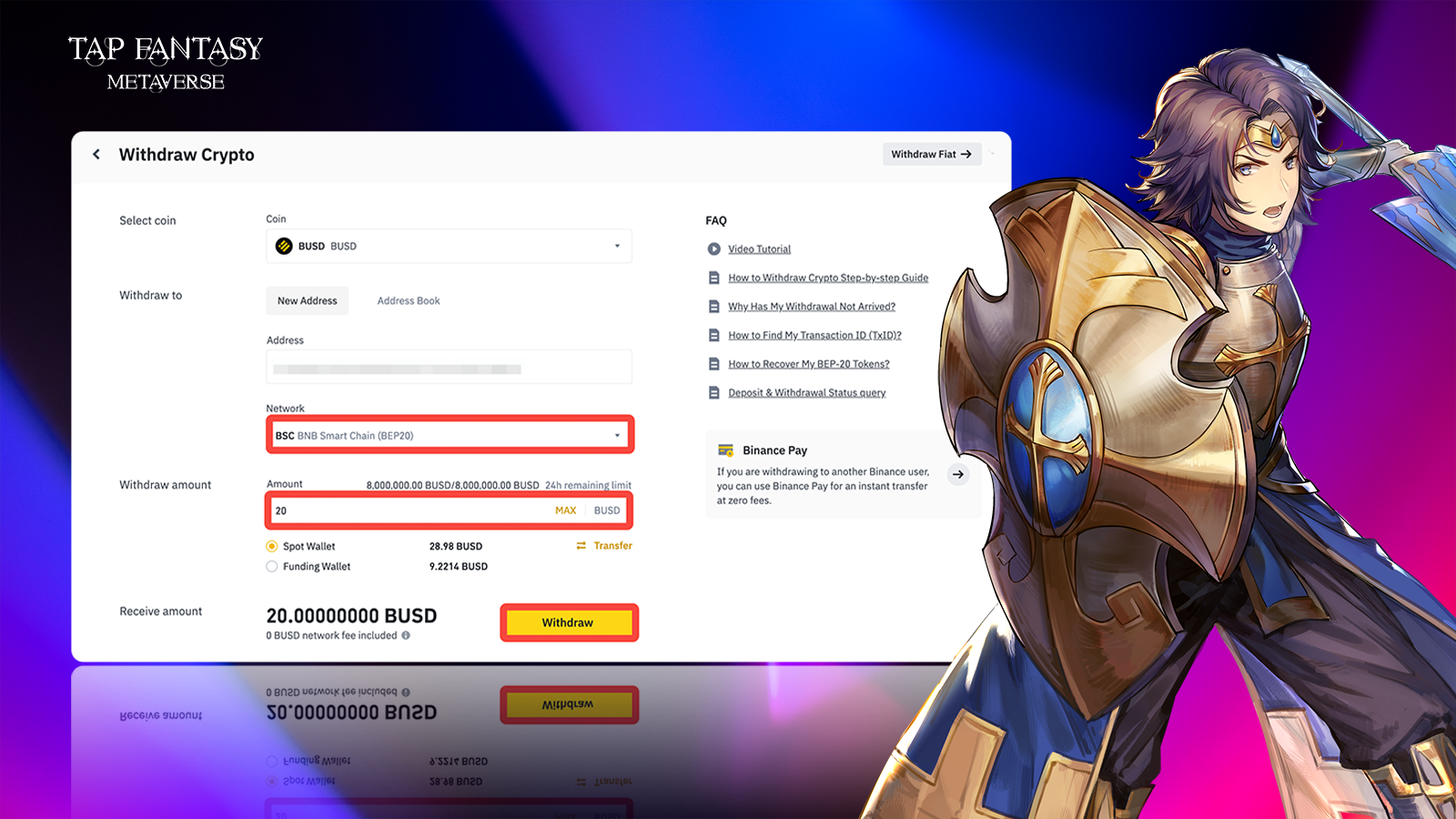
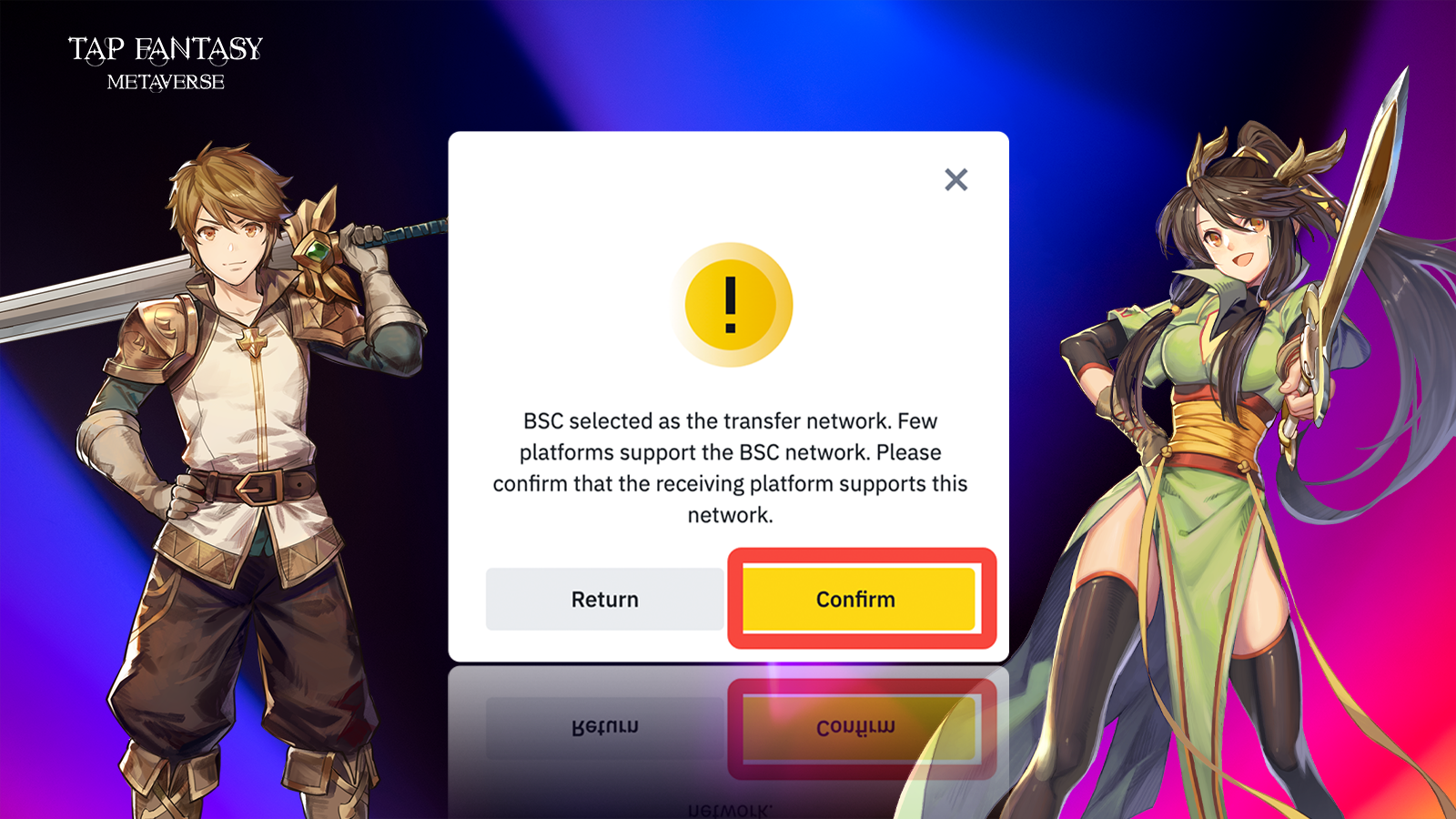
#### 4.Select "BSC" in network; Fill in the amount you want to withdraw in amount.

<figure><img src="https://1774970921-files.gitbook.io/~/files/v0/b/gitbook-x-prod.appspot.com/o/spaces%2FNwWGuJ5vz6zi3zHZaqpx%2Fuploads%2F2XmpHSnTJZSOuV5o5tx5%2Fimage.png?alt=media&#x26;token=066e1047-c780-4cf7-ae91-a1db058c99b8" alt=""><figcaption></figcaption></figure>

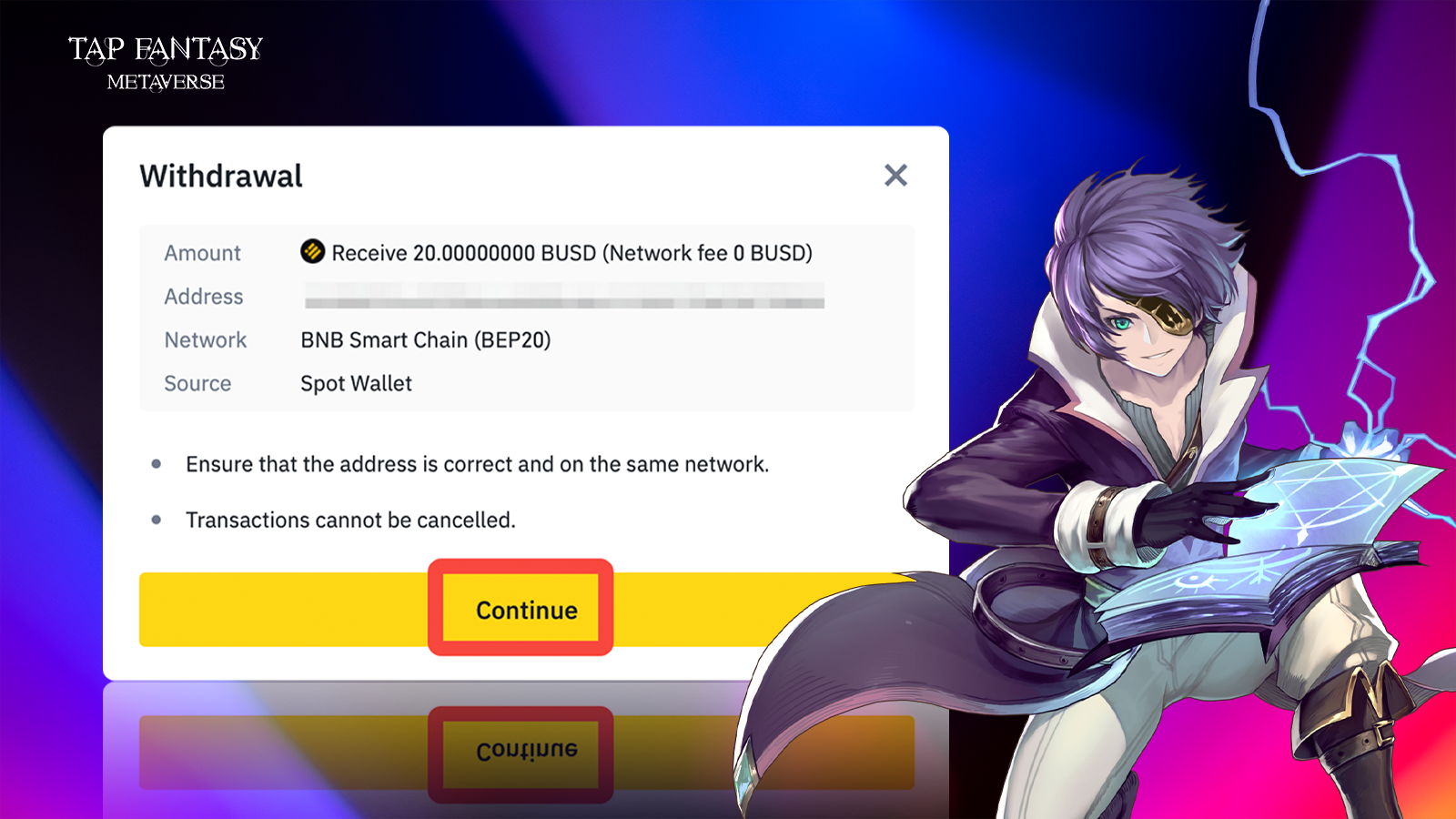
#### 5.Click OK to enter the next step

<figure><img src="https://1774970921-files.gitbook.io/~/files/v0/b/gitbook-x-prod.appspot.com/o/spaces%2FNwWGuJ5vz6zi3zHZaqpx%2Fuploads%2F2uPht7rSWsjNESgbMlRb%2Fimage.png?alt=media&#x26;token=fc50d43a-1397-4fb5-aabb-3a7011eabb7c" alt=""><figcaption></figcaption></figure>

<figure><img src="https://1774970921-files.gitbook.io/~/files/v0/b/gitbook-x-prod.appspot.com/o/spaces%2FNwWGuJ5vz6zi3zHZaqpx%2Fuploads%2FxLsLlm80lDfNJnJi36mN%2Fimage.png?alt=media&#x26;token=0b1b7fef-6e06-4b4f-a763-34e26ed96374" alt=""><figcaption></figcaption></figure>

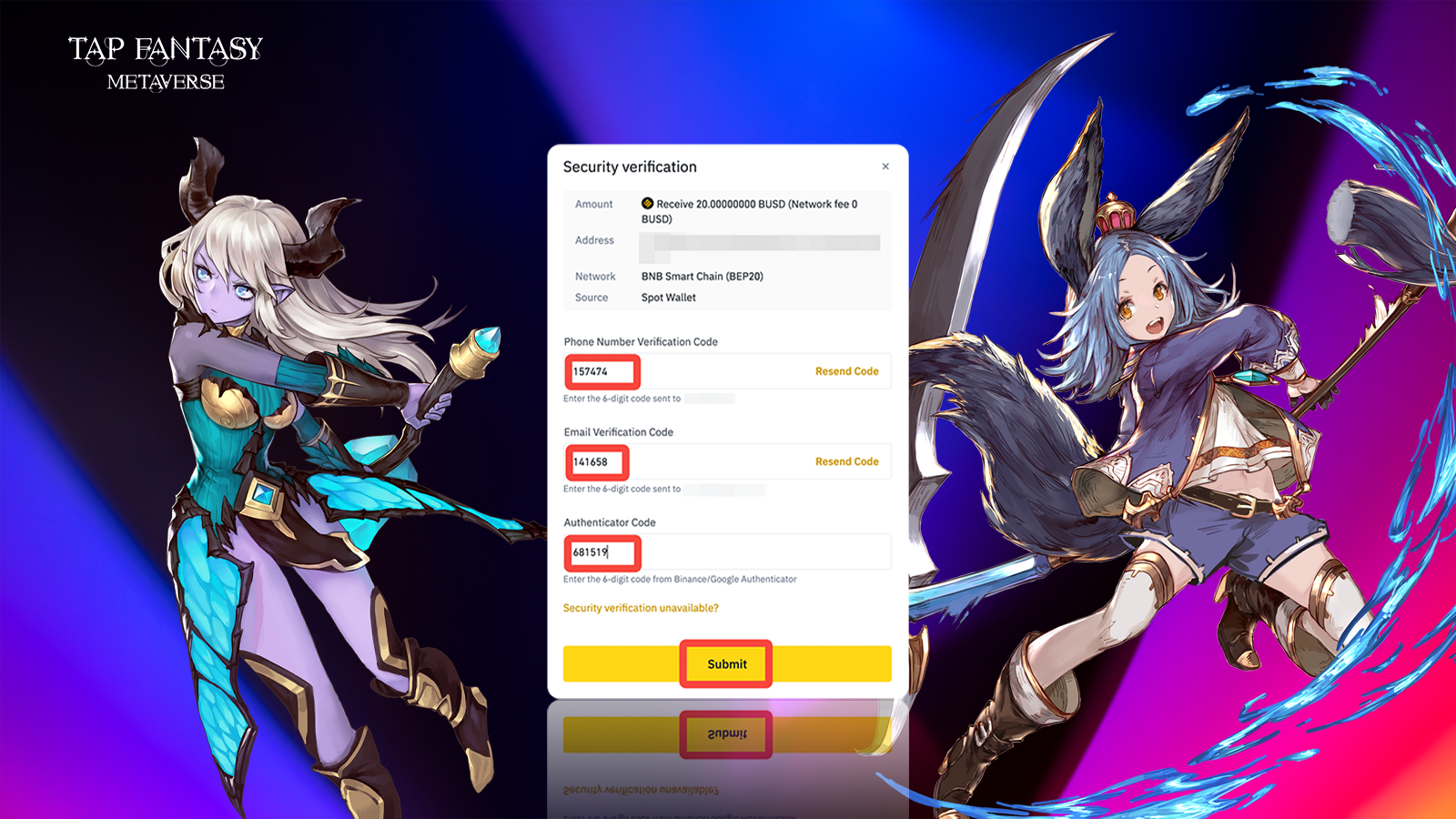
#### 6.For security authentication, you need to enter the mobile phone verification code, email verification code and authenticator verification code in turn.

<figure><img src="https://1774970921-files.gitbook.io/~/files/v0/b/gitbook-x-prod.appspot.com/o/spaces%2FNwWGuJ5vz6zi3zHZaqpx%2Fuploads%2F44OIPtZBguH6uxS1vbaU%2Fimage.png?alt=media&#x26;token=100e3ad9-2344-4abf-9570-f7c9890146cd" alt=""><figcaption></figcaption></figure>

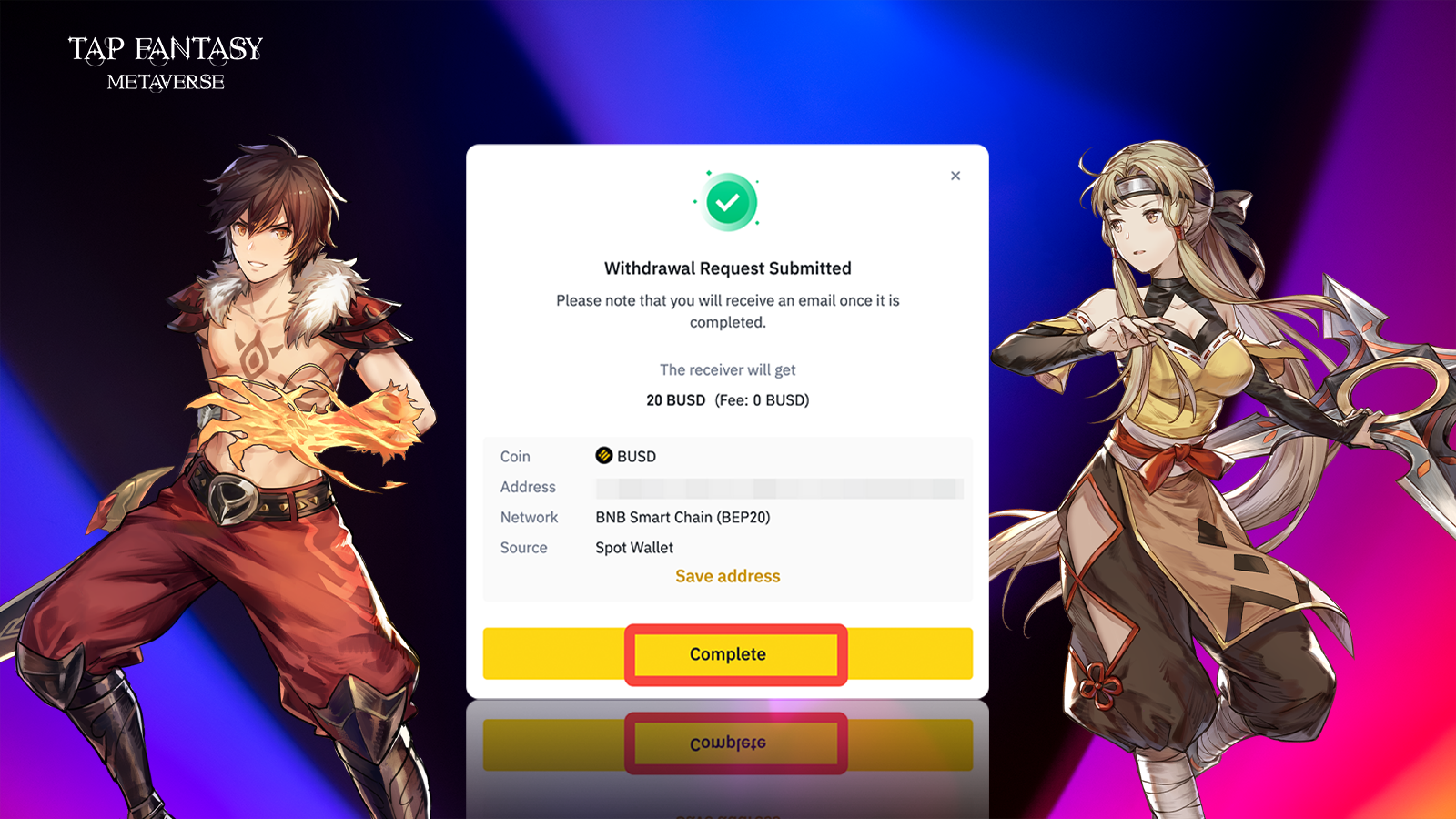
#### 7.Click OK to withdraw the cash successfully.

<figure><img src="https://1774970921-files.gitbook.io/~/files/v0/b/gitbook-x-prod.appspot.com/o/spaces%2FNwWGuJ5vz6zi3zHZaqpx%2Fuploads%2FDmO3cQMkj8V2nhwnB4s4%2Fimage.png?alt=media&#x26;token=0e843142-482a-4e98-ba3a-a77c6380595e" alt=""><figcaption></figcaption></figure>

## <mark style="background-color:red;">NEXT STEP👇</mark>

{% content-ref url="link-your-wallet-and-recharge" %}
[link-your-wallet-and-recharge](https://tapfantasy.gitbook.io/tap-fantasy-en/the-way-of-p2e/top-up-tutorial-for-beginner/link-your-wallet-and-recharge)
{% endcontent-ref %}